

Create multiple copies of a selected contour. Specify the number of copies and the orientation and pattern of the copies.
Array Copy
Create copies ordered into a specified number of rows and columns with a defined spacing.
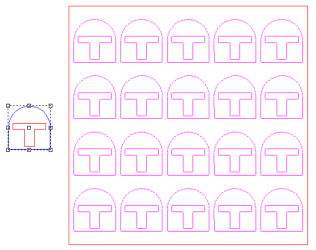
Parameters
As parameters are changed, a preview of the copies will be displayed in the workspace in pink.
| Fill Plate | Automatically fill the plate with as many copies that fit when checked. All other parameters will be calculated automatically. | ||||
| Rows | Number of rows of copies to create | ||||
| Columns | Number of columns of copies to create | ||||
| Horizontal Spacing |
|
||||
| Vertical Spacing |
|


Click Apply to create the copies.
Arc Copy
Create copies spaced along an arc.
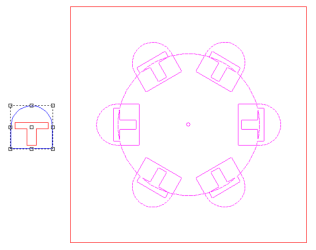
Parameters
As parameters are changed, a preview of the copies will be displayed in the workspace in pink.
| Align | Rotate the copies along the path of the arc |
| Number | Number of copies to create |
| Radius | Radius of the arc |
| Start Angle | Angle in degrees for the starting point of the arc |
| Swept Angle | Defines the distance the arc covers from the start angle to the end. Angles greater than 360 degrees will loop around |
| Center | Specify the coordinates for the arc center |
| Panel Selector | Select the corner, side, or center point to position the contours along the curve with |
Click Apply to create the copies.
Path Copy
Create copies along another contour.
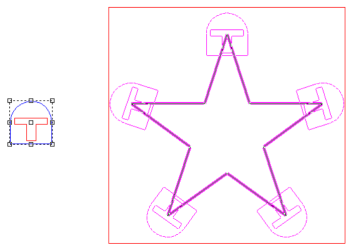
Parameters
| Align | Rotate the copies along the path of the contour |
| Number | Number of copies to create when Hold Number is enabled |
| Spacing | Spacing of copies along the contour when Hold Spacing is selected |
| Offset % | Offset the first copy from the starting point by a percentage of the spacing |
| Hold Number | Specify a number of copies to be equally spaced along the contour |
| Hold Spacing | Create copies along the contour at a specified spacing |
| All Corners | Create copies at all corners of the selected contour |
| Inside Corners | Create copies only at the inside corners of the selected contour |
| Outside Contours | Create copies only at the outside corners of the selected contour |
| Panel Selector | Select the corner, side, or center point to position the contours along the curve with |
Click Apply to create the copies.